
As the Senior Robotics Technician and DIY Appliance Repair Specialist for SmartVacFix.com, I’m here to guide you through the process of repairing your malfunctioning robot vacuum. Whether it’s a Roomba, Roborock, Shark, or Eufy, the first step is to diagnose the primary issue and determine if it’s a simple fix or requires a replacement part.
⚙️ SmartVacFix™ Diagnostic Triage
Primary Symptom: The robot vacuum is not powering on or responding to the start command.
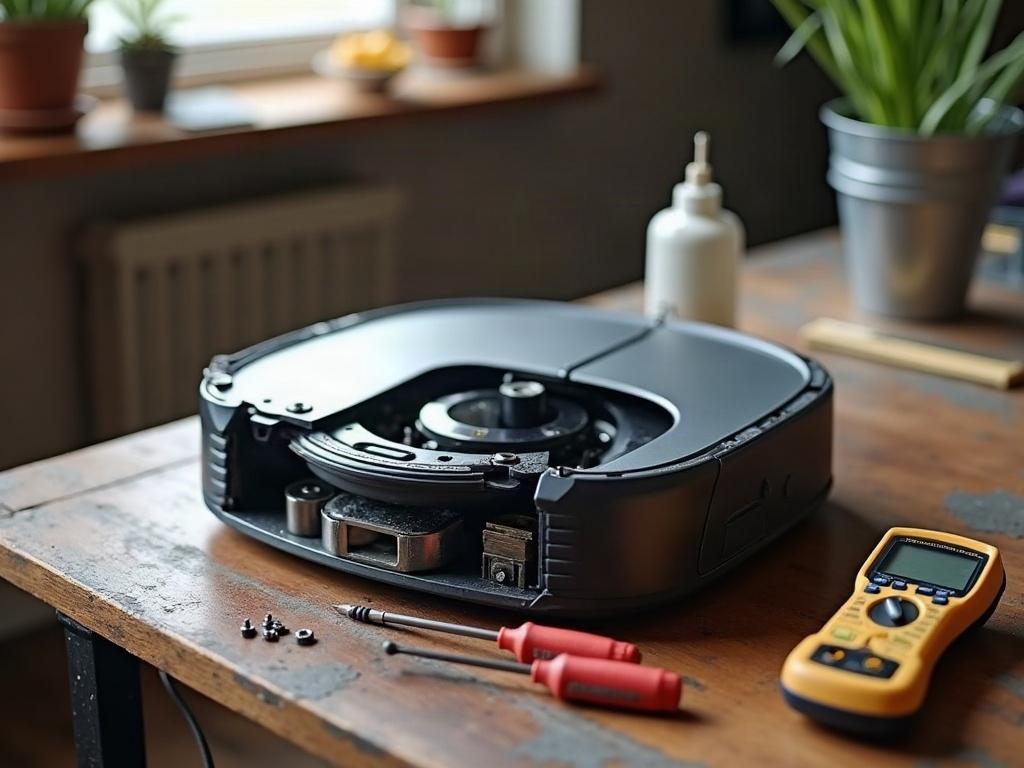
Tools & Parts Required: Phillips #1 screwdriver, replacement battery (if needed)
Repair vs. Replace: In many cases, a simple battery replacement or reset can resolve the issue, but a more serious problem may require a replacement part or a visit to a repair service.
Safety Warning: Always power off the robot vacuum and remove it from the charging dock before attempting any repairs or maintenance.

Troubleshooting a Robot Vacuum That Won’t Power On
If your robot vacuum is not powering on, the first step is to check the battery. Locate the battery compartment, usually on the underside of the unit, and remove the cover. Inspect the battery for any signs of damage or corrosion. If the battery appears to be in good condition, try charging it for a few hours and then attempt to power on the vacuum again.
Resetting the Robot Vacuum
If the battery is charged but the vacuum still won’t power on, try resetting the device. The reset process varies by brand, but generally, you’ll need to locate a small reset button or pinhole, often on the underside of the unit. Use a paperclip or small screwdriver to press and hold the reset button for 10-15 seconds. This will clear any software glitches and may restore normal operation.
Replacing the Robot Vacuum Battery
If the battery is old or damaged, you’ll need to replace it. Consult your vacuum’s user manual or the manufacturer’s website to identify the correct replacement battery. Carefully remove the old battery and install the new one, making sure the connections are secure. Once the new battery is in place, charge the vacuum fully before attempting to use it again.
Differences Between Robot Vacuum Brands
While the general troubleshooting steps are similar across brands, there can be some differences in the specific repair process. For example, Roborock and Eufy robot vacuums often have a different battery compartment layout and access method compared to Roomba models. Always refer to your vacuum’s manual or the manufacturer’s website for brand-specific guidance.
When to Seek Professional Repair
If you’ve tried the basic troubleshooting steps and your robot vacuum still won’t power on or function properly, it may be time to seek professional repair services. Some issues, such as a malfunctioning motor or sensor, may require specialized tools or expertise to diagnose and fix. In these cases, contacting the manufacturer or a reputable repair shop is recommended to ensure the problem is resolved safely and effectively.
Preventative Maintenance for Robot Vacuums
To help extend the life of your robot vacuum and avoid future breakdowns, it’s important to perform regular maintenance. This includes cleaning the brushes, sensors, and wheels, as well as checking the battery health periodically. Consult your vacuum’s user manual for the recommended maintenance schedule and procedures.
Frequently Asked Questions
How much does it typically cost to repair a robot vacuum?
The cost of repairing a robot vacuum can vary widely, depending on the issue and the specific model. Simple repairs, such as a battery replacement, may cost $50 or less. More complex issues, like a malfunctioning motor or sensor, can range from $100 to $300 or more, including labor and parts.
Can I repair a robot vacuum myself?
In many cases, yes, you can perform basic repairs on your robot vacuum yourself. Simple tasks like replacing the battery, cleaning sensors, or resetting the device can often be done at home with a few basic tools. However, more complex issues may require professional repair services to ensure the problem is properly diagnosed and fixed.
How long does a robot vacuum repair typically take?
The repair time can vary depending on the issue and the complexity of the repair. Basic troubleshooting and repairs, such as a battery replacement, can often be completed in 30 minutes or less. More involved repairs, like replacing a malfunctioning motor or sensor, may take several hours or even require the vacuum to be sent to a repair center.
Where can I get my robot vacuum repaired?
You have a few options for getting your robot vacuum repaired:
1. Contact the manufacturer’s customer support or authorized repair center.
2. Bring the vacuum to a local appliance repair shop that specializes in robot vacuums.
3. Use an online repair service that can provide mail-in or in-home repair services.
Do robot vacuum repairs come with a warranty?
The warranty coverage for robot vacuum repairs can vary. Many manufacturers offer a warranty on replacement parts and labor for a certain period, typically 30-90 days. Some repair services may also provide their own warranty on the work they perform. Be sure to ask about the warranty details when getting your vacuum repaired.
How often do robot vacuums need to be serviced?
The recommended service interval for robot vacuums can vary by brand and model, but generally, it’s a good idea to perform basic maintenance and cleaning every 1-3 months, depending on usage. This includes cleaning the brushes, sensors, and wheels, as well as checking the battery health. Refer to your vacuum’s user manual for the manufacturer’s recommended maintenance schedule.
What are some common robot vacuum repair issues?
Some of the most common robot vacuum repair issues include:
– Battery failure or degradation
– Brush or wheel blockages or malfunctions
– Sensor failures (e.g., cliff sensors, wall sensors)
– Motor or drive train problems
– Software or firmware glitches
– Physical damage to the vacuum’s body or components
Addressing these issues early through regular maintenance and troubleshooting can help prevent more serious problems down the line.