
If your robot vacuum’s wheels are not working properly, the issue is likely due to a mechanical problem or sensor malfunction. The good news is that many wheel-related problems can be fixed with some basic troubleshooting and DIY repair. As the Senior Robotics Technician at SmartVacFix.com, I’ll guide you through the diagnostic steps and repair paths to get your robot vacuum’s wheels spinning smoothly again.
⚙️ SmartVacFix™ Diagnostic Triage
Primary Symptom: The robot vacuum’s wheels are not spinning or moving the device as expected.
Tools & Parts Required: Phillips #1 screwdriver, replacement wheel modules (if needed)
Repair vs. Replace: Many wheel issues can be resolved by cleaning and resetting the wheel sensors. If the wheels are physically damaged, replacement wheel modules may be required.
Safety Warning: Power off the robot vacuum and remove it from the charging dock before flipping it over or accessing the internal components.
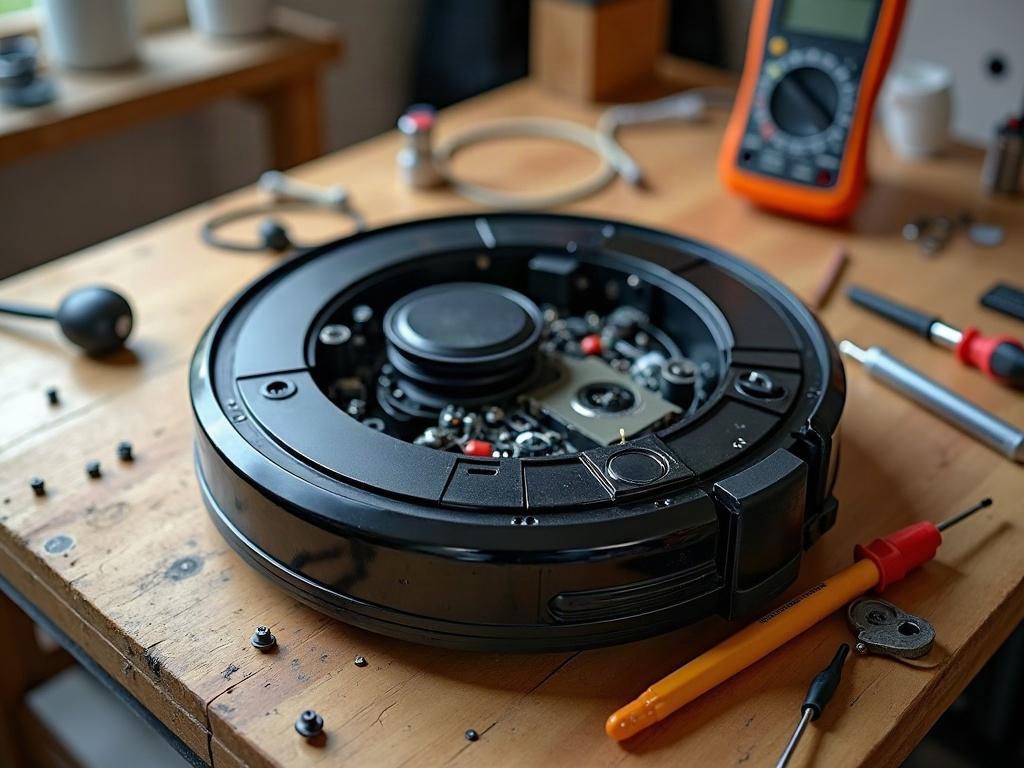
Why Are My Robot Vacuum Wheels Not Working?
The most common reasons for robot vacuum wheel problems include:
- Accumulated dirt, debris, or hair tangled in the wheels or wheel wells
- Faulty wheel sensors or encoders that can’t detect wheel movement
- Damaged or worn-out wheel modules that need replacement
Let’s go through the troubleshooting steps to identify and resolve the issue.
How to Fix a Robot Vacuum Wheel That’s Not Spinning
The first step is to inspect the wheels and wheel wells for any obstructions or buildup. Use a Phillips #1 screwdriver to remove the bottom panel, then carefully examine each wheel:
- Check for tangled hair, string, or debris wrapped around the wheel axles or trapped in the wheel wells.
- Gently clean out any accumulated dirt or debris using a soft-bristle brush or compressed air.
- Ensure the wheels spin freely by hand without any binding or resistance.
If the wheels are clear of obstructions but still not spinning properly, the issue may be with the wheel sensors or encoders.
Resetting Robot Vacuum Wheel Sensors
Many robot vacuums use optical or magnetic sensors to detect wheel movement and position. If these sensors become miscalibrated or fail, the wheels may appear unresponsive.
- Power off the robot vacuum and remove it from the charging dock.
- Locate the wheel sensor components, which are often near the wheel modules or on the underside of the device.
- Use a spudger or non-metallic tool to gently clean the sensor lenses or magnetic surfaces.
- Reassemble the robot and power it on. The wheel sensors should now be reset and functioning properly.
If the wheels still don’t spin after cleaning the sensors, the wheel modules themselves may need to be replaced.
Replacing Robot Vacuum Wheel Modules
Damaged or worn-out wheel modules are a common cause of persistent wheel problems. Fortunately, most robot vacuum models have user-replaceable wheel assemblies.
- Power off the robot vacuum and remove it from the charging dock.
- Use a Phillips #1 screwdriver to remove the bottom panel and access the wheel modules.
- Carefully disconnect the wheel module connectors and remove the faulty wheel assemblies.
- Install the new OEM replacement wheel modules, reconnect the connectors, and reassemble the robot.
| Brand | Wheel Replacement Process |
|---|---|
| Roomba | Wheel modules are user-replaceable. Consult your model’s manual for specific disassembly steps. |
| Roborock | Wheel modules are integrated into the main chassis. You may need to replace the entire drive module if the wheels are damaged. |

Preventing Future Robot Vacuum Wheel Problems
To keep your robot vacuum’s wheels in top shape, make a habit of regularly inspecting and cleaning the wheel assemblies. Here are some maintenance tips:
- Check the wheels for tangled hair, string, or debris at least once a month.
- Use a soft-bristle brush or compressed air to clean out the wheel wells and sensors.
- Avoid running the robot vacuum on high-pile carpets or shag rugs, as these can more easily tangle the wheels.
- Replace worn-out wheel modules according to the manufacturer’s recommended service interval.
Frequently Asked Questions
Can I replace just the wheel on my robot vacuum?
Most robot vacuum models have integrated wheel modules that include the wheel, motor, and sensor components. You’ll typically need to replace the entire module rather than just the wheel itself. Refer to your model’s manual or contact the manufacturer for the correct replacement parts.
How do I clean the wheels on my robot vacuum?
Start by powering off the robot and removing it from the charging dock. Use a soft-bristle brush or compressed air to gently clean out any hair, string, or debris trapped in the wheel wells and around the wheel axles. Avoid submerging the robot or using liquids to clean the wheels.
Why are my robot vacuum wheels not spinning?
Common reasons for non-spinning wheels include tangled debris, faulty wheel sensors, and worn-out or damaged wheel modules. Follow the troubleshooting steps in this guide to inspect the wheels, reset the sensors, and potentially replace the wheel assemblies if needed.
How do I align the wheels on my robot vacuum?
Robot vacuum wheels are typically pre-aligned at the factory. If the wheels seem misaligned, it’s likely due to a mechanical issue rather than a user-adjustable alignment. In this case, you may need to replace the wheel modules or contact the manufacturer for service.
What causes robot vacuum wheels to stop working?
The most common causes of robot vacuum wheel failure are accumulated dirt and debris, sensor malfunctions, and physical damage to the wheel modules. Regular maintenance and prompt troubleshooting can help prevent wheel-related issues.
How do I fix a robot vacuum wheel that is stuck?
If a wheel is stuck, first check for any obstructions or tangled debris around the wheel axle. Use a soft-bristle brush or compressed air to clean out the wheel well. If the wheel is still stuck, you may need to replace the entire wheel module.
Can robot vacuum wheels be repaired?
In many cases, robot vacuum wheel problems can be resolved through cleaning, sensor resets, and wheel module replacement. However, if the underlying issue is due to significant physical damage, it may be more cost-effective to replace the entire robot vacuum rather than attempting a complex repair.